
At BocaEdge, we connected a specialist Dublin recruitment agency's CRM to Claude using MCP (Model Context Protocol). Reporting, weekly client reports, QBRs and meeting preparation that used to take hours now start with a single prompt.
The starting point
A recruitment CRM holds years of valuable work: candidates, clients, jobs, notes, interviews and placements. Our client's CRM was no different. The information was all there, but getting insight out of it meant filters, exports and spreadsheets, and the quality of the result depended on who was doing the work.
What is MCP (Model Context Protocol)?
MCP is an open standard, introduced by Anthropic, that lets AI assistants like Claude connect securely to business tools such as CRMs, email and file storage. Once a CRM is connected via MCP, Claude can read and work with its live data inside a normal conversation. Learn more about MCP.
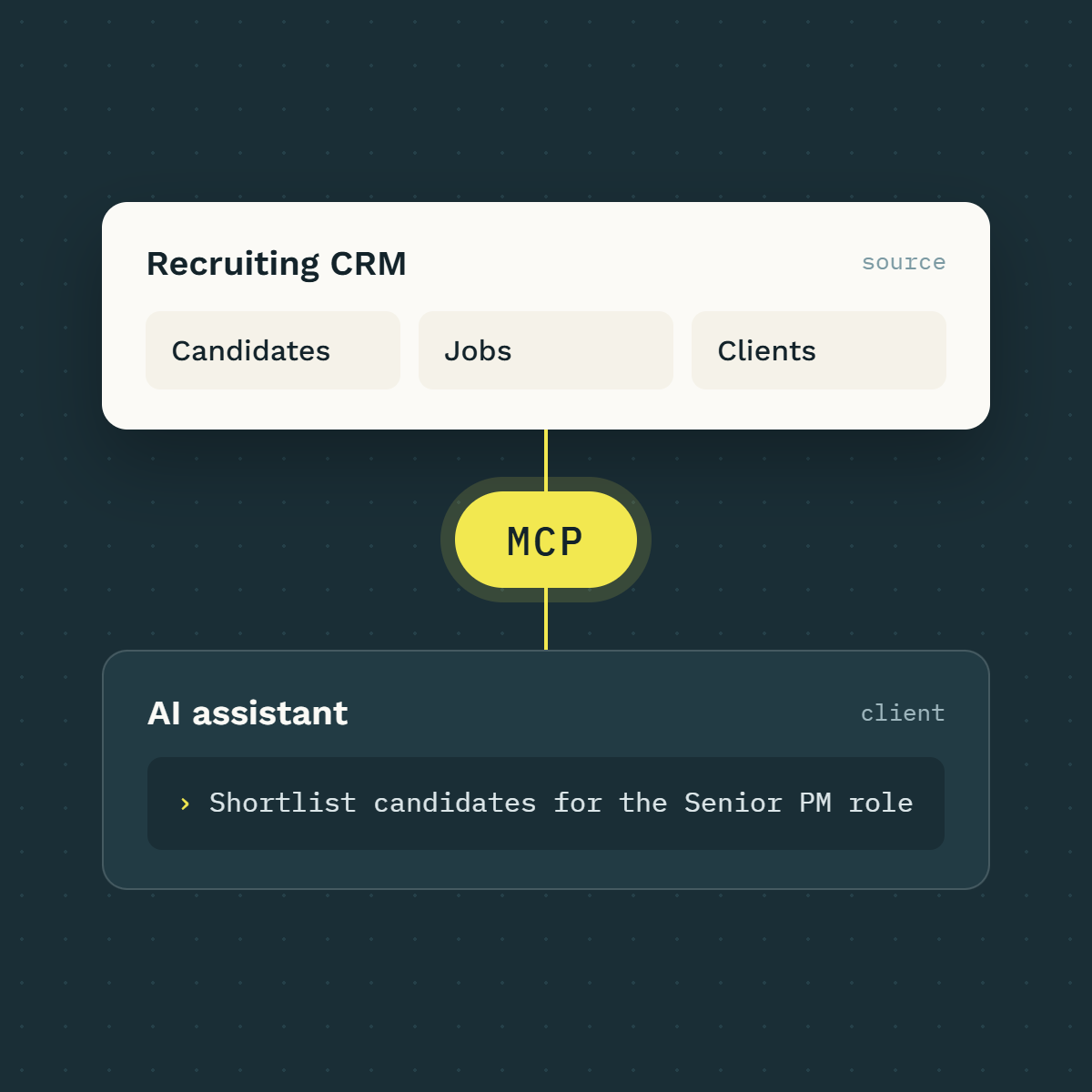
How we connected the CRM to Claude
We connected the agency's CRM to Claude through an MCP connector. Claude can now look up candidates, jobs, contacts, notes and pipeline activity on request, with access governed by each user's existing CRM permissions.
On top of that connection, we deployed CompanyOS, BocaEdge's "Company Brain" platform, to give the team a shared library of procedures that turn their best ways of working into repeatable, on-demand processes.
Reporting and analysis at a prompt
Questions that used to take an afternoon of filtering now take a sentence. "Which clients haven't we spoken to in 60 days?" "How many CVs did the team send last week, and how many converted to interviews?" "Where are candidates stalling in this pipeline?" Claude pulls the live data, runs the analysis and explains what it found.
Dashboards without the build project
Because Claude can query the data and build visuals, a dashboard is now a request rather than a project. Activity against targets, pipeline health and client coverage can each be produced in minutes and refreshed whenever needed.
Consistent procedures for the whole team
The biggest gain for the agency has been consistency. We worked with the team to capture how their best consultants prepare, report and follow up, and turned that into shared procedures anyone can run. A newer recruiter now produces a meeting prep to the same standard as the most experienced consultant, and when a procedure is improved, everyone benefits immediately.
CRM data, AI reasoning and search together
The CRM tells the team what they know about a candidate or client. Claude adds judgement: summarising, comparing and drafting. Web search adds what is happening in the market right now. Combining all three in one request is where the real value appears, such as a client brief that blends relationship history with the company's latest news.
How recruiters use Claude every day
Candidate preps: a structured briefing pack ahead of every interview, built from CRM notes and the job brief
Meeting preps: relationship history, open roles and recent activity summarised before a client meeting
Offer summaries: clear, accurate overviews of offer terms for candidates and clients
Weekly client reports: consistent recruitment updates for hiring managers, generated from live pipeline data
QBRs: quarterly business reviews with the numbers, trends and talking points already pulled together
The result
The agency's recruiters now spend less time gathering information and more time with candidates and clients. A weekly client report that took 30 now is generated instantly, and a QBR pack is ready in 1 hour instead of 2 days. Reporting is faster and more consistent, and the knowledge in their CRM is working as hard as the team does.
Could this work for your business?
The same approach applies to any firm whose core system holds years of client and operational data, whether that's a CRM, a practice management system or an ERP. If you'd like to explore what connecting your systems to Claude could look like, get in touch with BocaEdge.
Frequently asked questions
Is connecting a CRM to Claude secure?
The connection runs through each user's own CRM login and permissions, so Claude only sees what that person could already see. On Claude's business plans, Anthropic does not use your data to train its models by default.
Which CRMs support MCP?
A growing number of CRMs offer MCP connectors, including RecruitCRM, HubSpot and Salesforce. Where no connector exists, one can usually be built against the CRM's API.
How long does setup take?
A basic connection can be live in 1 day if its an established CRM with an MCP connection. Building out the team's procedures, reports and dashboards typically takes 2 to 4 weeks.
Do recruiters need technical skills to use it?
No. Recruiters ask for what they need in plain English, and shared procedures guide them through common tasks like candidate preps and client reports.
What does it cost?
Costs depend on team size, the Claude plan and the scope of procedures and reporting. Get in touch with BocaEdge for a scoped estimate.
About the author
Norman McBrien is the founder of BocaEdge, a Dublin-based AI consultancy that helps professional-services firms put Claude to work on their own systems and data. He has 20 years of experience in operations and leadership.